
In a physical shop, a customer can pick up a product, feel its weight, check the stitching, and read the label. Online, your product images do all of that work. They are not decoration — they are the primary mechanism through which shoppers evaluate whether to trust your product and commit to a purchase. Studies consistently show that image quality is among the top factors influencing online buying decisions, and that adding more high-quality images to a product page directly increases conversion rates. This guide covers everything from the types of shots you need to how to optimise those images for speed and search.
Why Image Quality Has Such a Direct Impact on Conversion
When a shopper cannot physically examine a product, they compensate by scrutinising its imagery. Blurry, poorly lit, or low-resolution photos signal — consciously or not — that the seller does not take the product seriously. Conversely, sharp, well-composed, professionally lit images build confidence. They answer unspoken questions: What does the texture look like up close? How large is it really? How does it look when worn or in use?
Return rates are also meaningfully lower for stores with comprehensive imagery. When a customer knows exactly what they are buying, the gap between expectation and delivery narrows — and so does the likelihood of a disappointed return request. Investing in photography pays dividends in both directions: more sales and fewer returns.
The Essential Types of Product Shot
Hero Shot
The hero shot is your primary product image — typically a clean studio photograph against a white or neutral background, showing the product clearly from its most flattering angle. This is the image that appears in search results, category listings, and social ads. It must be sharp, well-lit, and immediately communicate what the product is. Most marketplaces, including Amazon, mandate a white background for hero shots for exactly this reason.
Lifestyle Shot
Lifestyle photography shows the product in context — in use, in a real environment, by a real person. A pair of boots worn on a cobblestone street. A candle lit on a dining table at dusk. A rucksack on someone's back at a train station. Lifestyle images help shoppers visualise ownership and are particularly powerful for social media and the upper sections of a product page. They sell aspiration as much as the object itself.
Detail Shot
Close-up detail shots communicate quality and craft. Stitching on a leather bag, the grain of a wooden cutting board, the clasp mechanism on a watch strap — these images answer the "what does it look like up close?" question that physical retail answers automatically. Include at least one or two detail shots for any product where material, texture, or finish is a purchasing factor.
Scale Shot
Scale is one of the most common sources of customer disappointment and subsequent returns. A scale shot — placing the product next to a familiar object, or showing it held in a hand, or worn on a body — immediately communicates real-world dimensions. Do not rely on size specifications in the product description alone; show the scale visually.
360-Degree and Video
360-degree image sets — typically 24 to 36 frames shot on a turntable — allow shoppers to rotate the product interactively, replicating much of the physical retail experience. Short product videos serve a similar purpose, and both formats consistently outperform static-only galleries in conversion testing. These are particularly valuable for complex, premium, or technical products where multiple angles genuinely change the purchase decision.
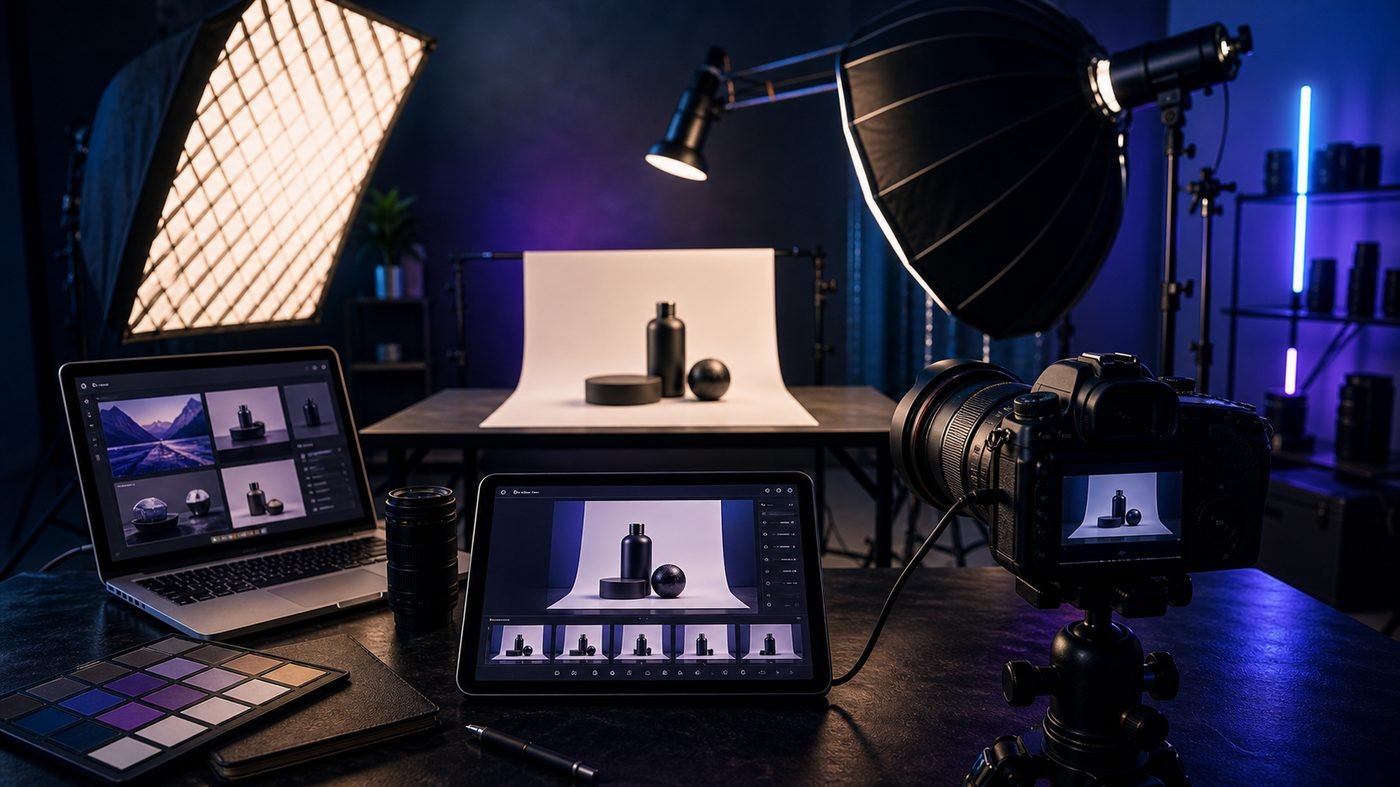
DIY Studio Setup: Getting Great Shots Without a Professional Budget
Professional photography is the gold standard, but it is entirely possible to produce high-quality product images with modest equipment if you understand the fundamentals:
- Lighting: Natural light from a large north-facing window is free and flattering. Supplement with a reflector on the opposite side to fill shadows. If you are shooting frequently, a pair of softbox LED lights gives you consistent, controllable results regardless of weather or time of day.
- Background: A large sheet of white card or a seamless white backdrop creates the clean hero shots that marketplaces and product pages require. Sweep the card gently so there is no visible horizon line behind the product.
- Camera vs. smartphone: A modern flagship smartphone — particularly an iPhone 15 Pro or a Samsung Galaxy S24 series — is genuinely capable of producing commercial-quality product images when used with proper lighting. Manual mode apps give you control over exposure, white balance, and focus. A mirrorless camera with a 50mm or macro lens will produce superior results, but a good phone in good light beats a DSLR in bad light every time.
- Stability: A tripod is essential for sharp, consistent images. Camera shake is the most common cause of slightly blurry product photos, and no amount of post-processing recovers a shaky shot.
Image Optimisation for Web Performance
Stunning images that take four seconds to load will cost you more sales than they win. Page speed is a confirmed ranking factor and a major driver of bounce rate, particularly on mobile. Optimise every product image before it reaches your store:
- File format: Use WebP wherever possible. WebP delivers the same visual quality as JPEG at roughly 25–35% smaller file sizes. All modern browsers support it, and platforms like Shopify serve WebP automatically. For images with transparency, WebP also replaces PNG with significant size savings.
- File size targets: Aim for hero images under 200 KB and supplementary images under 100 KB. Tools like Squoosh, ImageOptim, and ShortPixel make compression straightforward without visible quality loss.
- Lazy loading: Images below the fold should load only when the user scrolls to them, not all at once on page load. Most modern e-commerce platforms handle this natively, but verify that your theme implements it correctly. The
loading="lazy"attribute on image tags is the browser-native implementation. - Correct dimensions: Never upload a 4000px image and rely on CSS to display it at 800px. Resize images to their actual display dimensions before upload to eliminate unnecessary file weight.
Alt Text: SEO and Accessibility in One Step
Alt text — the text description attached to each image in your HTML — serves two purposes simultaneously. It gives search engines a textual signal about what an image depicts, contributing to both product page SEO and Google Image Search visibility. It also makes your store accessible to shoppers using screen readers, who rely on alt text to understand image content.
Write descriptive, specific alt text for every product image. "Blue leather crossbody bag with gold clasp, 26cm × 18cm" is far more useful than "bag" or "product image 3." Include your primary keyword where it fits naturally, but write for people first and search engines second.
User-Generated Content as Social Proof
Professional photography establishes the aspirational standard; customer photography confirms the reality. User-generated content (UGC) — real photos submitted by real customers — functions as peer-reviewed evidence that the product lives up to its listing. Shoppers trust other shoppers. A gallery of authentic customer images on a product page, integrated from a review platform or a branded hashtag, can meaningfully increase purchase confidence, particularly for fashion, homeware, and lifestyle products where real-world context matters most.
Encourage UGC by prompting customers in post-purchase emails, offering a small reward for photo submissions, and making the submission process frictionless. The images you collect become a compounding asset — growing in volume with every sale and reducing reliance on expensive reshoots as your product range evolves.
Key Takeaway
Great product photography is not an aesthetic luxury — it is a conversion rate lever. A complete image set (hero, lifestyle, detail, scale, 360°), properly optimised for web performance, with descriptive alt text and a stream of authentic customer images, will outperform even the most compelling product copy every time.
Final Thoughts
Whether you are launching a new store or refreshing an existing catalogue, treating your product photography as a commercial priority rather than an afterthought is one of the highest-return investments you can make. Start with your best-selling products, nail the hero and lifestyle shots, get your file sizes under control, and build a system for collecting customer images over time. If you need help integrating a polished image gallery experience into your e-commerce platform — or want your product pages built to showcase photography at its best — the team at Thind Global Services is ready to help.
Need help putting this into practice?
Talk to our Birmingham team — free consultation, no obligation, fixed quotes.